
Hospitable Connection Guide
How to Connect Hospitable and Lake.com
Managing vacation rentals shouldn’t feel like herding the kids on a windy dock. That’s why the Lake.com and Hospitable integration helps you keep everything steady—calendars aligned, bookings flowing, and guest communication running smoothly.
You’ll spend less time in admin mode and more time welcoming travelers who are actively searching for lakeside escapes.
Why connect Lake.com with Hospitable?
Centralized Control
Keep your hosting operation in one tidy command center. With Hospitable handling, messaging, and coordination—and calendars staying in sync—your availability stays accurate across Lake.com and your other booking channels.
Reach High-Intent Travelers
Showcase your properties on Lake.com, the go-to platform for lakefront and waterfront vacations. From lakehouses and cottages to cabins and beach villas, your listings will be front and center for travelers dreaming of time by the water.
Premium Placement in Outdoor Destinations
Lake.com connects you to travelers exploring over 1,400 lake destinations and 4,000 nearby parks—making it easy for guests to find your property when planning their next adventure outdoors.
Step 1: Sign Up and Verify Your Lake.com Account
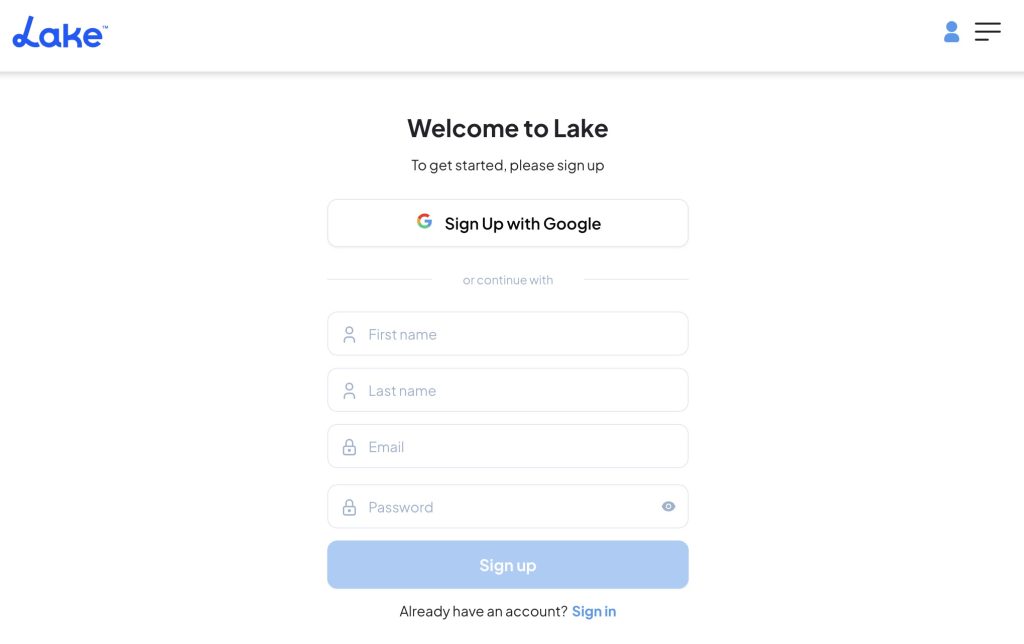
- Visit Lake.com and sign up with your email or a connected Google account.
- After verifying your email, you’ll land on a confirmation page: “Congratulations, your account’s been created.”
- Indicate that you are a Host.

Step 2: Choose Import My Listings
- You’ll be asked whether you want to create a listing from scratch or import an existing listing.
- Select the option to Import my listings.

Step 3: Connect Hospitable
- If you signed up and are returning to Lake.com, access the connections in the “Me” menu in the top-right corner, then click “Connections”.
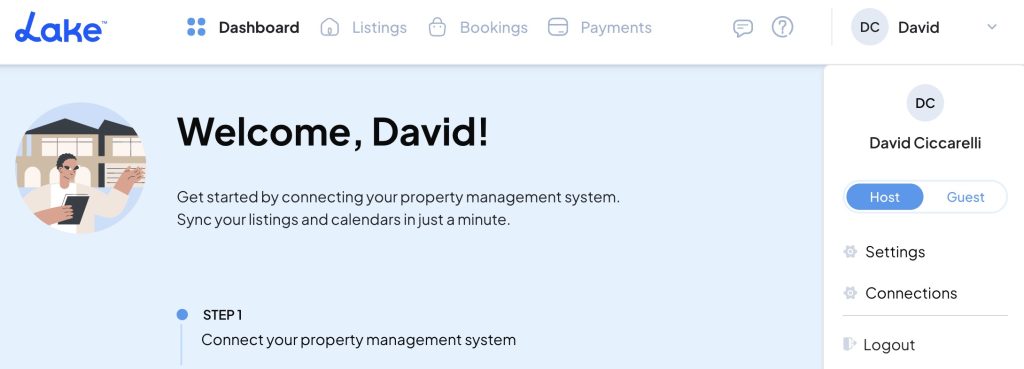
- Click Connect with Hospitable.
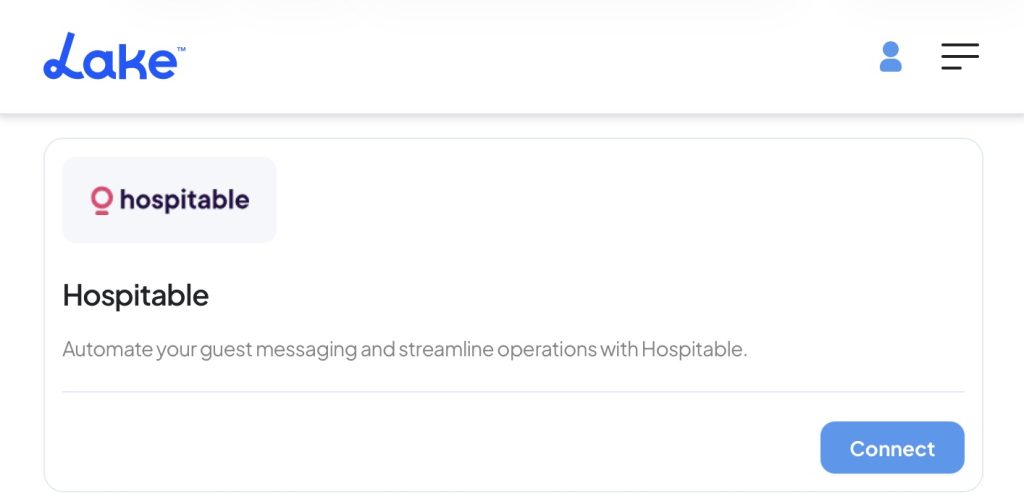
- Next, you’ll be prompted to sign in to your Hospitable account.
- Enter your Hospitable login details, and complete any two-factor authentication prompts if enabled.
- Review the connection request so you understand what will sync between Hospitable and Lake.com.
- Once you’re ready, click Connect, and you’ll be redirected to log in to Hospitable to finish linking accounts.
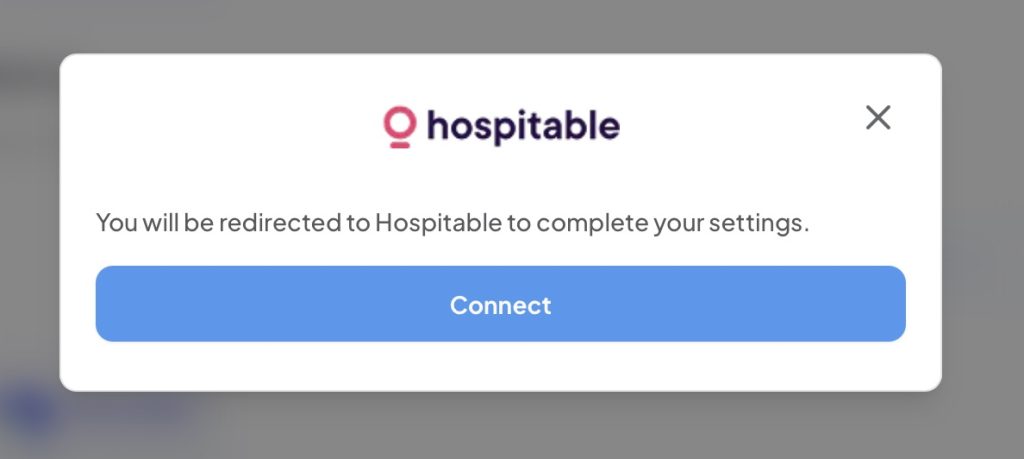
Step 4: Login to Hospitable
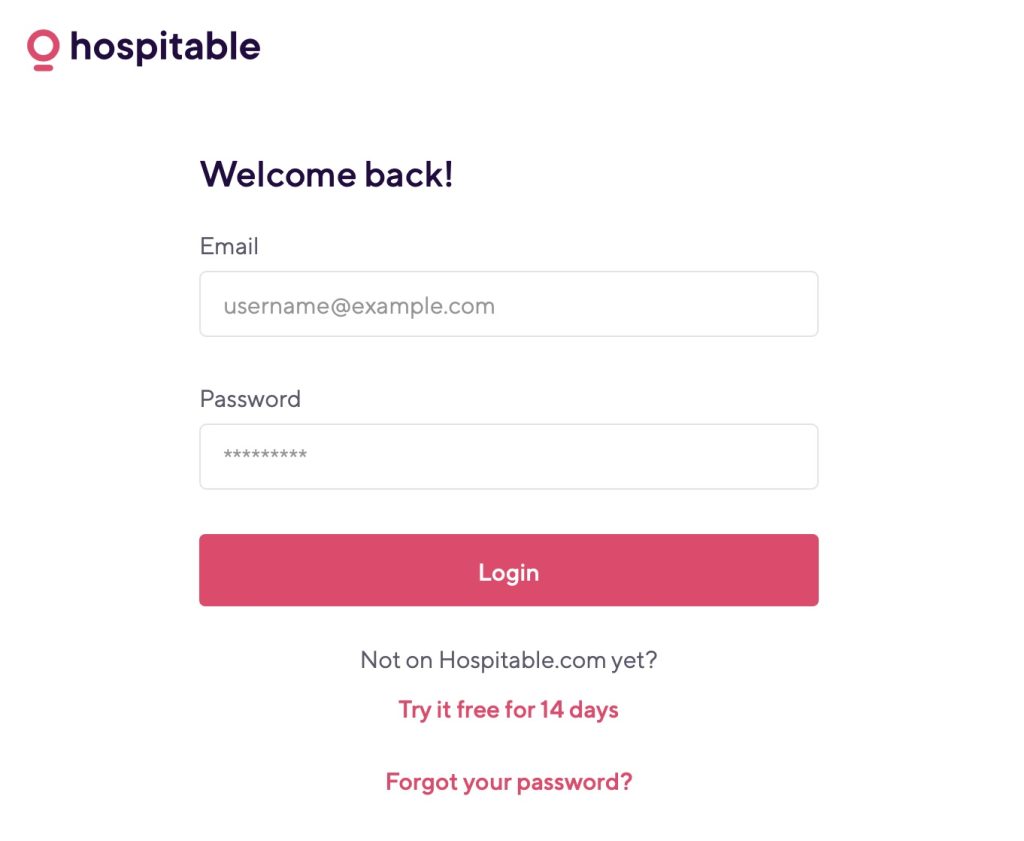
- Login to Hospitable with your Hospitable email and password.
- If you forgot your password, you can reset it
Step 5: Approve Information Sharing
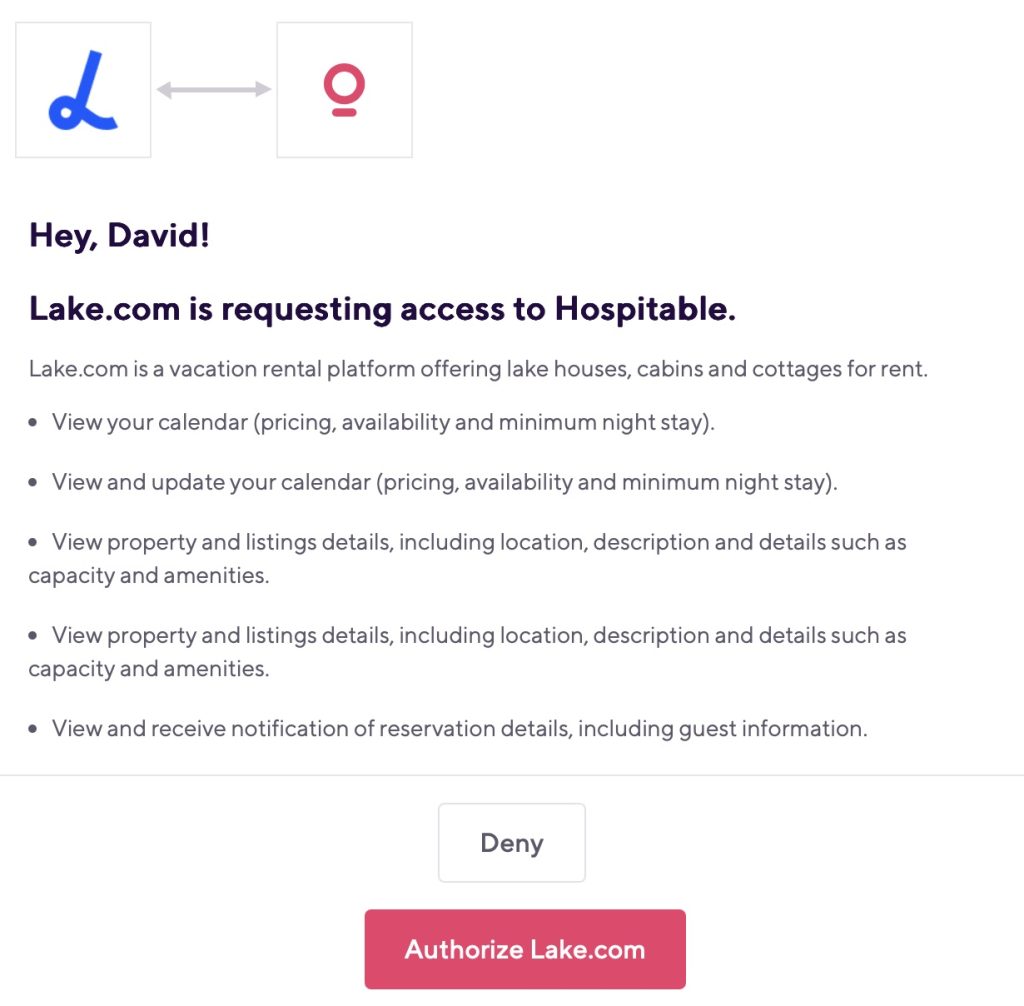
- After you click “Authorize Lake.com,” you’ll be redirected back to Lake.com and a confirmation message will appear.
- Listings from Hospitable will automatically begin syncing to Lake.com.
Step 6: Connection Successful
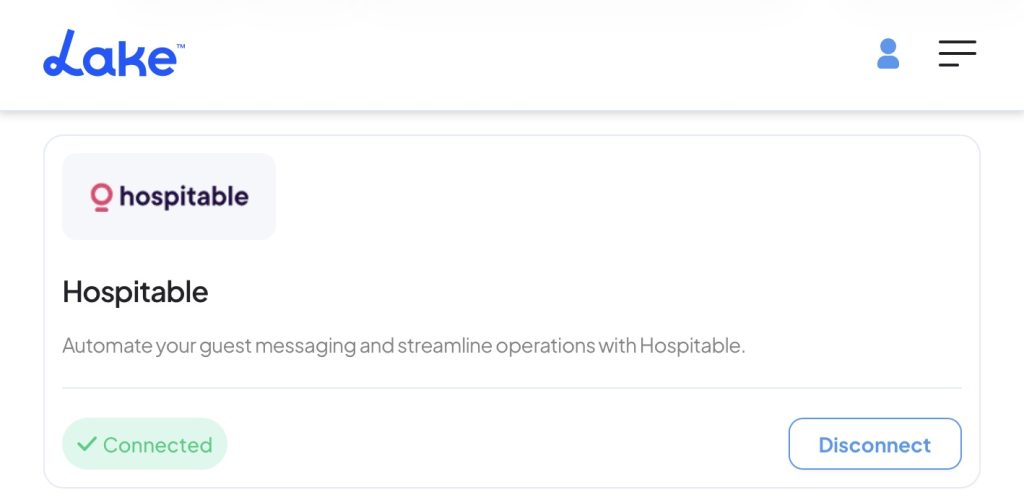
- That’s it! Now that you see the status of “Connected” , your property listings from Hospitable will automatically begin syncing to Lake.com.
Step 7: View Imported Listings
- The first sync may take up to an hour, depending on the number of properties you have, especially if you have dozens of photos to import. Grab a coffee!
- Your property (e.g., “Cozy Lakefront Cabin”) will now be visible on your Lake.com Listings page.
Step 8: Manage Listings
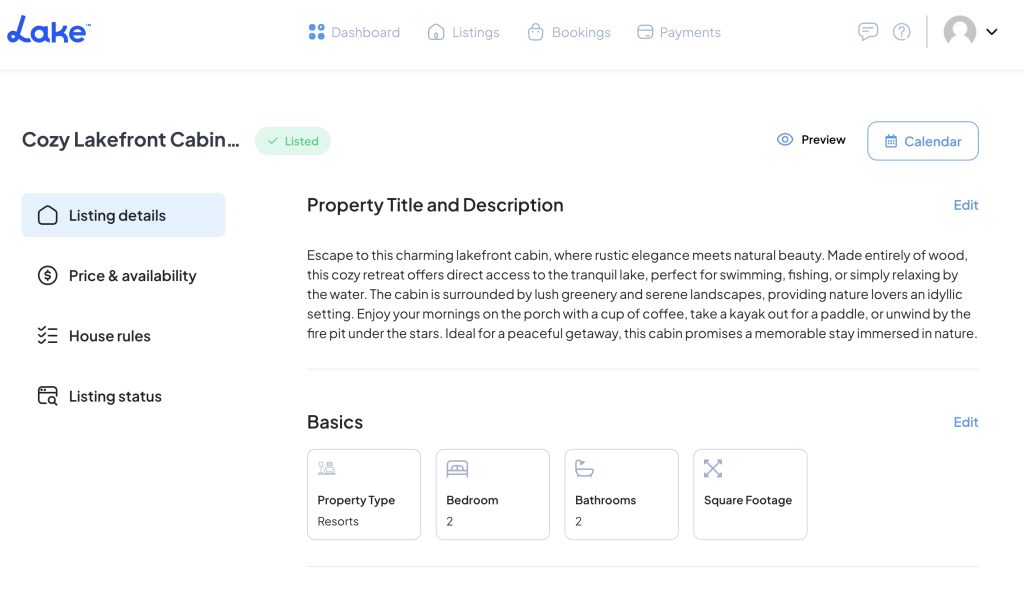
- Listing updates should be made in Hospitable. Changes will sync to Lake.com automatically.
- After the first sync, information will be updated on Lake.com on an automatic schedule:
- Static content, including property titles, descriptions, amenities, and photos, will be updated every 6 hours.
- Dynamic content, such as calendar availability and pricing, will update every 5 minutes. This means that if you have a dynamic tool implemented, such as Beyond, PriceLabs, or Wheelhouse, you’ll have these pricing changes updated on Lake.com as well.
- You can view how your property appears to guests on Lake.com.
- To temporarily hide a listing while maintaining the connection, toggle the status to Unlisted.
Step 9: Promote Your Listings
Share Your Lake.com Listing on Social Media
Once your listing is live, copy your Lake.com property link and share it on Facebook, Instagram, Pinterest, and LinkedIn. Pair the link with your best photos, a timely seasonal offer, or one standout feature (think private dock, lake views, or a hot tub) to stop the scroll. Consistent social sharing helps drive direct traffic and builds recognition over time.
Highlight Seasonal Specials or Updates
Keep your listing looking current by refreshing photos and calling out what’s in season—paddleboarding days in summer, crisp fall color weekends, or cozy fireside nights in winter. Updates you make in Hospitable will sync to Lake.com automatically, so travelers always see the latest details when they’re comparing options.
Feature Your Lake.com Listing on Your Website or Email
If you have a website or send a newsletter, add a direct link to your Lake.com listing. Place it where it’s easy to find—on your homepage, in a “Book Now” section, or as a simple text link in your next email. This reinforces trust with your audience and can help turn warm leads into direct bookings.
What Data Gets Synchronized Between Lake.com and Hospitable
The data that will get shared bewteen Hospitable and Lake includes:
- View your calendar (pricing, availability, and minimum night stay).
- View and update your calendar (pricing, availability, and minimum night stay).
- View property and listing details, including location, description, amenities, and capacity.
- View property and listing details, including location, description, amenities, and capacity.
- View and receive notification of reservation details, including guest information.
Benefits of Integrating Hospitable with Lake.com
Integrating Hospitable with Lake.com helps vacation rental property managers streamline operations, deliver a smoother guest experience, and keep availability accurate across channels—so you can spend less time juggling tabs and more time growing your lakefront business.
Benefits of Integrating Hospitable with Lake.com
Integrating Hospitable with Lake.com gives you a calmer “home base” for hosting: guest conversations stay organized, turnovers stay on schedule, and your availability stays consistent across channels—so travelers browsing Lake.com see up-to-date dates when they’re ready to book.
Centralized Management
With Lake.com connected, Hospitable helps you keep messaging and calendars from drifting out of sync. Its channel tools are built to keep pricing, availability, and minimum-stay rules consistent—and to actively prevent double bookings with real-time syncing and conflict checks.
Automation and Efficiency
Hospitable is designed to remove repetitive work. AI helps handle routine guest questions and draft replies in your voice, while operations automations turn reservations into tasks and send alerts to your team by email, SMS, or iCal—so cleanings, check-ins, and turnovers don’t fall through the cracks.
Enhanced Reporting and Analytics
Instead of exporting spreadsheets to “see how you’re doing,” Hospitable’s reporting is built to surface the numbers that matter—like revenue and operational performance—and even supports owner statements. You can also share dashboards as a private link with owners or teammates when you need everyone aligned.
Scalability
Whether you’re managing one lakeside cottage or a portfolio of waterfront homes, Hospitable is built for real-world setups. Features like linked calendars (for multi-unit properties), manual reservations, and centralized direct bookings help you grow without adding chaos to your workflow.
Seamless Guest Experience
A smoother back-end shows up as a better stay. Guests get timely, helpful communication, and you can share trip details and check-in info through a secure guest portal—so fewer questions land in your inbox at the busiest moments. And for extra peace of mind (especially with direct bookings), Hospitable offers guest screening/verification features that help protect the property and the experience.
Troubleshooting a Hospitable Connection
To troubleshoot access issues between Lake.com and Hospitable, you can follow these steps:
1. Check Connection Status
- Verify Integration: Confirm that Lake.com is connected within your Hospitable account (often found under connected accounts or integrations). If it’s not listed, reconnect the accounts.
- Authentication: Double-check that you signed in to the correct Hospitable account and completed any verification steps. Incorrect credentials or interrupted login flows can cause access issues.
2. Review API and Permissions
- Permissions: Make sure you approved the requested permissions during setup so Lake.com can sync the required data (such as listings, calendars, and reservations).
- Connection Logs: If available, review any connection status messages or error details shown during setup—these often point to exactly what needs fixing.
3. Test the Connection
- Manual Sync Test: Make a small change in Hospitable (like updating a title or adjusting availability) and check whether it appears on Lake.com after the next sync window.
- Check Data Sync: Look for any discrepancies in the data that is being synced (e.g., reservations, calendar availability). If specific data isn’t syncing, it may point to a specific issue with the integration.
4. Network and Browser Issues
- Clear Cache: Sometimes, browser cache issues can prevent proper access or display of integration pages. Clear your browser cache and cookies and try reaccessing the integration.
- Firewall/Network Settings: Ensure your network or firewall settings aren’t blocking the connection steps between Lake.com and Hospitable. Some network settings might prevent the necessary communication.
5. Disconnect and Reconnect
- Reconnect the Integration: If other troubleshooting steps fail, try disconnecting and reconnecting the integration. This can often reset any issues caused by a faulty initial connection setup.
6. Contact Support
- Hospitable Support: If the issue persists, contact Hospitable’s customer support team. They can help confirm account access, connection status, and whether anything on their side is affecting syncing.
- Lake.com Support: Similarly, contact Lake.com’s support to see if there are any known issues or to request assistance with the integration process.
Learn More About Hospitable
Hospitable is a vacation rental management platform designed to help hosts and property managers run smoother operations at scale—without losing the personal touch. It brings guest communication, coordination, and calendar management into one place, helping you stay organized across major booking channels while keeping your guest experience warm and consistent.
Tags:
Was this helpful?